Office storage often looks adequate until filing cabinets block a walkway, forms pile up beside a printer, or staff cannot find a client folder. Lateral files can help by storing documents across a wider drawer, making labels easier to scan from the front. But buying more cabinets is not always the answer. Measure the room first.
How to optimize office storage with lateral files starts with understanding what your team actually keeps and uses. Separate active records from archived files, then estimate drawer space from real folders rather than a product photo. Check cabinet width, depth, drawer clearance, and the path people take through the room. Small details matter. A drawer that opens into a busy aisle can create daily friction.
Good planning also considers weight limits, anchoring guidance, lock options, and access needs. Follow the manufacturer’s instructions, and consult a qualified facilities professional when installation or floor conditions raise questions. Use consistent labels and simple retention rules, while keeping sensitive records accessible only to authorized staff. These habits support safer, more dependable filing without promising a perfect system. Some offices may still need shelves or digital tools alongside lateral files. That is worth admitting. The practical goal is not to make every document fit, but to help people find what they need, return it reliably, and keep work areas clear. This guide explores layout choices, cabinet selection, labeling, and maintenance, with everyday office constraints in mind.
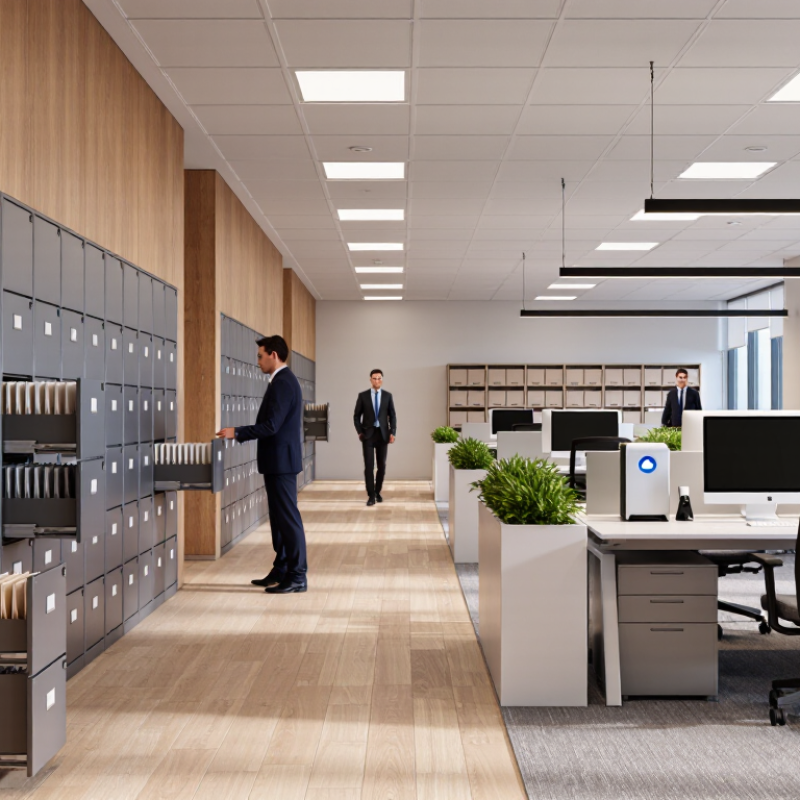
Assess Office Storage Needs and Filing Workflows
Before choosing lateral files, map what the office actually stores. Count active folders, archived records, project binders, and supplies separately. Observe a typical week, not only a busy Monday. Ask staff which documents they retrieve daily and which remain untouched for months. That difference matters. Measure wall space, aisle clearance, desk access, and door swings. Record existing cabinet dimensions; a rough sketch is more reliable than memory.
Then follow a file from arrival to use and eventual retention. Who labels it? Where does it wait? Note handoffs, duplicate copies, and folders piled beside printers. These small delays can reveal workflow problems more clearly than a storage count. Group files by retrieval frequency, not just department. Keep frequently used folders within easy reach, and place inactive material in less accessible drawers. Follow workplace policies for restricting access to sensitive records.
Estimate growth from actual monthly additions, then check whether the proposed drawers can handle wider binders and uneven folder loads. Leave some capacity spare. A lateral file may improve visibility, but only when labels are consistent and drawers stay easy to open. Test one section with real folders before planning the full room. Even careful estimates can miss seasonal peaks, and staff may keep using old labels longer than expected.
Choose Lateral Files by Size, Capacity, and Features
Choosing a lateral file begins with measuring the space, not guessing from a product photo. Record the available width, depth, and height, then check how far drawers extend into walkways. A cabinet that fits against a wall may still block a chair or doorway. Small detail. Big difference. Match drawer width to the documents you actually store, including folders that need room to hang without bending.
Capacity depends on more than the number of drawers. Check the stated load limit for each drawer and the cabinet, and consider how much paper your team handles each week. Heavier files may need sturdy construction and a stable design. Avoid filling one drawer far beyond the others; uneven loading can affect smooth operation. For busy offices, full-extension drawers make labels and folders easier to reach, while interlocking mechanisms can help prevent multiple drawers from opening at once.
Features should solve a real daily problem. A lock may suit shared work areas, while removable dividers help separate active files from archived records. Test the drawer movement if possible, and inspect whether handles are comfortable during repeated use. It is easy to overestimate future storage needs; I would leave some room for growth, but not so much that the cabinet consumes useful floor space. Check the installation and care instructions before placing it in service.
2026 Top Ways to Optimize Office Storage with Lateral Files? - Choose Lateral Files by Size, Capacity, and Features
| Configuration |
Approx. External Size (W × D × H) |
Approx. File Capacity |
Useful Features |
Best Fit and Storage Tip |
| Compact, 2-drawer |
30–36 × 18–20 × 28–30 in |
About 100–160 letter-size folders total |
Full-extension drawers; adjustable follower blocks; central lock on some models |
Good for individual work areas. Store frequently used files in the top drawer and label drawers by category. |
| Standard, 3-drawer |
30–36 × 18–20 × 40–42 in |
About 150–240 letter-size folders total |
Interlocking drawers on many models; rails for side-to-side filing; label holders |
A practical general-office choice. Assign one drawer per year, team, or document group to simplify retrieval. |
| High-capacity, 4-drawer |
36–42 × 18–20 × 52–54 in |
About 280–400 letter-size folders total |
Multiple filing rails; anti-tip interlock; optional keyed lock |
Suitable for shared records. Check ceiling clearance and floor-loading guidance, and avoid overloading individual drawers. |
| Wide-format, 2-drawer |
42– lateral files typically 42 × 18–20 × 28–30 in |
About 180–220 letter-size folders total |
Wide drawers; adjustable rails; supports letter- or legal-size filing on compatible models |
Useful when drawer width matters more than cabinet height. Confirm the cabinet accepts the required folder orientation. |
| Low-profile, 2-drawer |
36–42 × 18–20 × 28–30 in |
About 140–220 letter-size folders total |
Broad top surface; full-extension drawers; optional counterweight or anti-tip design |
Can fit below some windows or work surfaces. Measure actual clearance, including handles and any base trim. |
| Fire-resistant, 2-drawer |
Varies; often wider and deeper than standard models |
Model-specific; commonly less usable space than a similarly sized standard cabinet |
Test-rated fire protection; drawer seals; locking system; substantial weight |
Consider for records needing added fire protection. Verify the fire rating, usable interior dimensions, and floor support. |
Capacity figures are planning estimates for standard hanging folders and roughly 1 inch of file thickness per folder; actual capacity varies with cabinet design, folder size, and filing method. Measure the installation area and confirm drawer dimensions, weight limits, locking requirements, and anti-tip features before purchase.
Plan Cabinet Placement for Space and Accessibility
Lateral files can use wall space efficiently, but placement matters more than capacity. Map doors, desk chairs, walkways, and shared equipment before choosing a cabinet location. Keep frequently used files near the teams that retrieve them, while reserving quieter corners for records opened less often. A cabinet beside a printer may seem convenient, yet queues can block drawers and interrupt nearby work. Test the layout with a chair pulled out and a drawer fully extended. Small details matter.
Protect a clear route through the room. The U.S. Access Board’s 2010 ADA Standards specify a 36-inch minimum width for many accessible routes; confirm applicable requirements for your space. Leave enough room for drawers to open without crossing that route, and avoid placing handles where passing bags or chair arms can catch them. Keep cabinets away from heating vents and direct sunlight when practical, since heat and glare can affect stored paper. A floor plan helps, but it is not proof of good access. Walk the proposed route during a busy hour, then adjust. I have seen tidy layouts fail once people start moving. Sources: U.S. Access Board, 2010 ADA Standards for Accessible Design; OSHA, 29 CFR 1910.22, Walking-Working Surfaces.
Organize Documents with Consistent Labels and Categories
Organize documents with labels staff can understand at a glance. McKinsey Global Institute’s 2012 report, The Social Economy, estimated that interaction workers spend about 19% of their time searching for and gathering information. That figure covers workplace information broadly, not paper files alone, but it shows why retrieval systems matter. Labels matter. Use a consistent pattern: department, document type, and year. A drawer might read “Finance | Invoices | 2026,” with folders arranged alphabetically or by month. Pick one method and apply it across every lateral file cabinet.
Keep categories specific, but not fussy. “Operations” may be too broad; “Equipment Manuals” gives people a clearer destination. Use the same wording on drawer fronts, hanging folders, and any digital index. Add a small color cue only when it reinforces a written label, since color alone can confuse new staff or anyone with color-vision differences. Keep it simple. Assign one person to review labels when teams or workflows change, and remove outdated folder names instead of layering new ones over old. I would still test the system with someone unfamiliar with the files. If they hesitate at the cabinet, the categories need work. A neat label scheme is not automatically a useful one.
Optimize Office Storage with Consistent Lateral-File Labels
Example folder counts by category for a 240-folder office inventory. Use clear, consistent labels to group related documents and make filing and retrieval easier.
Example figures for illustration; adjust the counts to match your office inventory.
Maintain File Systems, Security, and Long-Term Efficiency
Lateral files work best when filing rules stay simple and visible. Label drawers by function, retention period, and access level; keep frequently used folders within easy reach. McKinsey Global Institute’s 2012 report, The Social Economy, estimated that knowledge workers spent 19% of their workweek searching for information. That figure concerns information work broadly, not paper files alone, but it highlights the cost of inconsistent records. Small details matter. Return folders to their marked positions, and review labels when teams or processes change.
Security depends on daily habits, not just a locked cabinet. Restrict keys to named staff, record temporary access, and avoid leaving sensitive folders on desks overnight. Set a documented retention schedule, then review files at least annually. Remove outdated records through approved internal procedures, and keep a simple log of what was moved or disposed of. A small weakness remains: even a clear system can fail when one person invents a private shortcut. Ask staff to flag confusing labels and missing folders; adjust the layout rather than blaming the user. Keep spare drawer capacity, too. Overfilled files bend folders, hide labels, and make routine checks harder.
Conclusion
How to optimize office storage with lateral files begins with understanding what the office stores, how often documents are used, and how staff move through filing workflows. Choose cabinets that match available floor space and the volume and format of your files, while considering useful features such as drawer capacity, smooth access, and clear organization. Place cabinets where they are convenient to reach without blocking walkways, work areas, or other frequently used spaces.
Create consistent labels and categories so documents can be found and returned quickly. Set simple filing guidelines that everyone can follow, and review the system regularly to remove outdated materials and adjust categories as needs change. Use appropriate access controls for sensitive records, and keep drawers from becoming overloaded. With thoughtful cabinet selection, accessible placement, and routine upkeep, lateral files can support a more orderly, efficient office over the long term.

 Correo Office