An eight-hour shift can turn a minor fit problem into a persistent distraction. A seat that feels comfortable for ten minutes may press against your thighs by midafternoon. Your shoulders may creep upward when the armrests sit too high. Small details matter.
This guide to China’s top 10 office chairs for 8-hour workdays focuses on practical features, not just appearance. It considers lumbar support, seat depth, height adjustment, armrest movement, breathable materials, and base stability. What makes a chair suitable for 8-hour workdays is a combination of fit, usable adjustments, and dependable construction. No single feature guarantees comfort for everyone. Body proportions, desk height, room temperature, and work habits all affect how a chair feels.
Look closely at the specifications before choosing. Check whether the seat depth can be adjusted, whether the backrest supports different sitting positions, and whether the seller clearly states warranty terms. A mesh back may feel cooler, but the seat and frame still need to suit your needs. Claims such as “ergonomic” are not enough on their own. Compare dimensions and return policies, and confirm details with the manufacturer or retailer. Product availability and specifications can change.
There is no perfect chair for every body. Even a well-designed model may need adjustment, and sitting still for hours is rarely ideal. Treat this list as a starting point, then match each option to your workspace and budget.
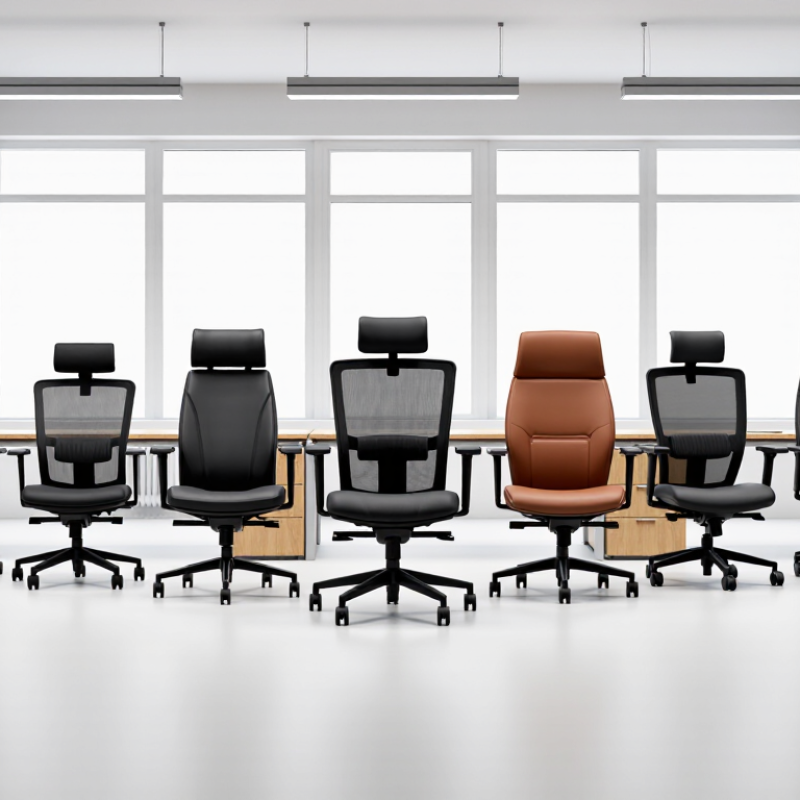
ISO 9241-5 offers guidance for designing workstations around the task and the person, rather than prescribing one perfect sitting posture. For an eight-hour workday, assess whether a chair lets the user sit close to the desk, keep feet supported, and reach frequently used items without repeated twisting. Adjustability matters. Check seat height and depth, backrest support, and armrests against the desk, not just the product photo. A chair that fits one person may leave another’s knees pressed against the seat edge.
When comparing office chairs available in China, test them at a desk similar to the one used at work. Notice pressure under the thighs, support across the lower back, and whether the armrests collide with the desktop. ISO guidance also points to the workstation as a whole: chair, desk, screen position, and task layout interact. Small adjustments can help, but no chair replaces movement breaks or a workable setup. Eight hours is a long test. Personal comfort is useful evidence, though it is not a clinical measure. Some fit judgments remain imperfect; record what feels strained after an hour, then reassess.
For an eight-hour workday, “comfortable” is not a safety benchmark. ANSI/BIFMA X5.1 sets measurable performance tests for general-purpose office chairs, including stability, strength, and durability. Its test protocols include 100,000-cycle seat durability testing and 120,000-cycle back durability testing. These figures describe laboratory loading cycles, not a guarantee of years of service. That matters.
When comparing chairs made in China, ask for a test report tied to the exact model and configuration. Check whether the report identifies the standard edition, test results, and any limitations. A chair’s frame may pass while its adjustment controls or armrests differ from the tested version. Small details count: a loose tilt lock, uneven casters, or a seat that sinks during the day can change how the chair performs at a desk. ANSI/BIFMA X5.1 evaluates safety and durability; it does not certify comfort for every body or desk setup. Comfort is different. I would treat the standard as a useful baseline, then check fit, adjustability, and everyday function. There is room for doubt: passing a test cannot replicate every eight-hour shift.
Use these 10 checkpoints to compare office chairs intended for extended workdays. The figures below are suggested purchasing-screening targets, not requirements or pass/fail limits specified by ANSI/BIFMA X5.1.
| No. | Evaluation dimension | Suggested screening target | What to verify | Relevance to an 8-hour workday |
|---|---|---|---|---|
| 1 | Seat-height adjustment | Approx. 406–533 mm (16–21 in); confirm the range suits the intended users and desk. | Measure the seat surface at its lowest and highest positions; check that the adjustment holds securely. | Supports a working posture with feet on the floor or a footrest and thighs roughly level. |
| 2 | Seat-depth adjustment | Look for an adjustable seat pan, with a practical screening range of about 420–520 mm (16.5–20.5 in). | Check that users can sit back against the backrest while leaving space behind the knees. | Helps accommodate different leg lengths and reduces pressure at the back of the thighs. |
| 3 | Seat width | About 457–508 mm (18–20 in) is a useful initial comparison range; confirm fit in person where possible. | Measure the usable space between the seat edges or armrests. | Provides room to change sitting position without making the chair unnecessarily wide for the user. |
| 4 | Lumbar support | Prefer support whose height or position can be adjusted to the user. | Check that the support contacts the lower back without forcing an uncomfortable posture. | Individual fit matters; a fixed contour may not suit every user during prolonged sitting. |
| 5 | Backrest recline and tilt control | Look for a controllable recline, stable upright position, and a usable tension adjustment. | Test the movement through its range and confirm that the chair remains stable and controls are accessible. | Allows posture changes instead of requiring one fixed position throughout the day. |
| 6 | Armrest adjustability | Height adjustment is a useful baseline; width or pivot adjustment can improve fit. | Confirm armrests do not prevent the chair from moving close to the desk and do not force shoulders upward. | Well-fitted armrests can support the forearms during desk work without restricting movement. |
| 7 | Base, casters, and stability | Check the complete base-and-caster configuration against the intended floor surface and chair use. | Look for a stable five-leg base where applicable; verify caster suitability and inspect for smooth, controlled movement. | Stable mobility supports routine movement around a workstation. A five-leg base alone does not establish safety compliance. |
| 8 | Published user-weight rating | Choose a manufacturer-stated rating that appropriately exceeds the intended user's weight. | Find the rating in product documentation and confirm the test evidence applies to the same chair configuration. | A published rating helps buyers select an appropriate chair, but should not be inferred from appearance or a single test result. |
| 9 | ANSI/BIFMA X5.1 test documentation | Request a traceable test report or certificate identifying the chair model, applicable standard edition, and tested configuration. | Check that the evidence is for the actual model offered, not merely a similar product or an unrelated component. | X5.1 evaluates safety, durability, and structural performance for general-purpose office chairs; it does not by itself establish comfort for every user or an 8-hour ergonomic fit. |
| 10 | Test scope and product consistency | Confirm documentation covers applicable chair tests, such as stability, strength, and durability, for the offered configuration. | Compare the tested parts and configuration with the delivered chair, including its base, casters, seat, back, and arms where applicable. | A relevant, traceable test record is more useful than a broad compliance claim with no model or test-scope details. |
These checkpoints are a comparison guide, not a product ranking or a claim that any chair has passed testing. ANSI/BIFMA X5.1 test results should be verified against documentation for the exact chair model and configuration. Screening dimensions are practical comparison ranges, not universal ergonomic prescriptions.
For an eight-hour workday, compare ten China-made office chairs by fit, not appearance alone. Check whether seat height, armrests, and lumbar support adjust independently. A chair that lets your feet rest flat and keeps your elbows near desk height is more useful than one with extra controls you will never use. Small details matter.
Entry-level options often use mesh backs, foam seats, and simpler adjustment mechanisms. Mid-priced chairs may add adjustable lumbar support, a sliding seat pan, or more durable upholstery. Higher-priced models can offer smoother recline controls and sturdier frames, but price alone does not prove better support. Materials also affect comfort: mesh can feel cooler, while thicker cushions may feel softer at first. Try sitting for at least fifteen minutes, if possible.
When comparing the ten, note the adjustment range, warranty terms, and replacement-part availability alongside the listed price. A chair may look supportive yet press into the lower back after an hour. Fit is personal. I would treat any ranking as a starting point, not a final verdict, because desk height, body size, and sitting habits change what feels comfortable.
When comparing China’s top 10 office chairs for an eight-hour workday, judge fit before finish or feature count. OSHA’s Computer Workstations eTool gives a useful starting range: seat height of about 16–21 inches and seat depth of 15–17 inches. These are reference dimensions, not a guarantee of comfort for every body. At a desk, check that both feet rest flat and the seat edge does not press behind your knees. Fit matters more.
Lumbar support should meet the lower back without forcing a stiff arch. A small adjustment can make a noticeable difference. Armrests should let shoulders stay relaxed, with elbows near the body; if they hit the desk, they may be less useful than they look. ANSI/BIFMA’s G1 ergonomic guidelines also emphasize accommodating different users, so adjustable features matter more than a single “ideal” setting.
Try the chair at your actual desk, not just in a showroom. A specification sheet can still mislead. For a fair comparison, record seat height, usable seat depth, lumbar adjustability, and armrest range for each model, then check those measurements against the person who will use it. OSHA’s figures are a helpful screen, not a personal fit test.
A useful China top 10 for eight-hour workdays should rank evidence, not advertising claims. Compare published seat-height ranges, seat depth, lumbar adjustment, armrest movement, and warranty terms. Then check standardized test results for stability, caster performance, and durability. Use the same test method and scoring rules for every chair; otherwise, small differences may reflect different testing, not better design.
Comfort still depends on the person. A chair with a wide adjustment range may suit more body types, but published dimensions cannot show how its seat feels after a long afternoon. Give greater weight to repeatable measurements, and label missing or unverified data clearly. A ranking may look less definitive this way. That is more honest.
Tips: Check whether your feet rest flat and your lower back feels supported. Compare measurements with your own desk and body, not just the highest score. If possible, test the chair for several minutes; a quick sit is imperfect, but useful.
It should let you sit close to your desk, support your feet, and reach common items without twisting. Fit matters more than appearance. No chair removes the need to move.
Check seat height, seat depth, backrest support, and armrest movement. Make sure your knees are not pressed against the seat edge. Small details matter.
Try it at a desk similar to yours. Notice pressure under your thighs, lower-back support, and whether the armrests hit the desktop. Recheck how it feels after an hour.
No. Higher-priced options may have smoother recline controls or sturdier frames, but price alone proves little. Compare the actual adjustments and fit.
Mesh backs may feel cooler, while thicker cushions can feel softer at first. The first few minutes can mislead. Try sitting for at least fifteen minutes, if possible.
Compare adjustment ranges, seat dimensions, warranty terms, and replacement-part availability. Published stability and durability test results can also help. Mark missing data clearly.
No. Measurements help compare chairs, but they cannot show how a seat feels late in the afternoon. I still find quick tests a bit misleading.
Treat rankings as a starting point, not a final verdict. Compare the chair with your body and desk, then note any strain after use. Some judgments remain imperfect.
This guide explains what makes a chair suitable for 8-hour workdays by connecting practical ergonomic needs with recognized workstation guidance, including ISO 9241-5. It also introduces ANSI/BIFMA X5.1 as a framework for understanding chair safety and durability test benchmarks. Rather than treating one design as right for everyone, the comparison considers how adjustability, support, materials, and price affect comfort during a full day of work.
The guide compares ten chairs made in China using published specifications and standardized test information where available. It examines seat-height and seat-depth adjustment, lumbar support, and armrest fit, helping readers assess whether a chair can suit their body and workstation. The final ranking weighs these factors together to identify options for different needs and budgets, while encouraging readers to verify specifications and prioritize a fit that supports comfortable, sustained sitting.

Correo Office